Yelken360

Loading…

Please wait while the page is loading.

Powered by Yelken Accounting

Accounting Software

Cash and bank accounts, income and expense movements, receivables, and reports.

  • Cash and bank accounts
  • Income and expense types
  • Payment methods
  • Customer account
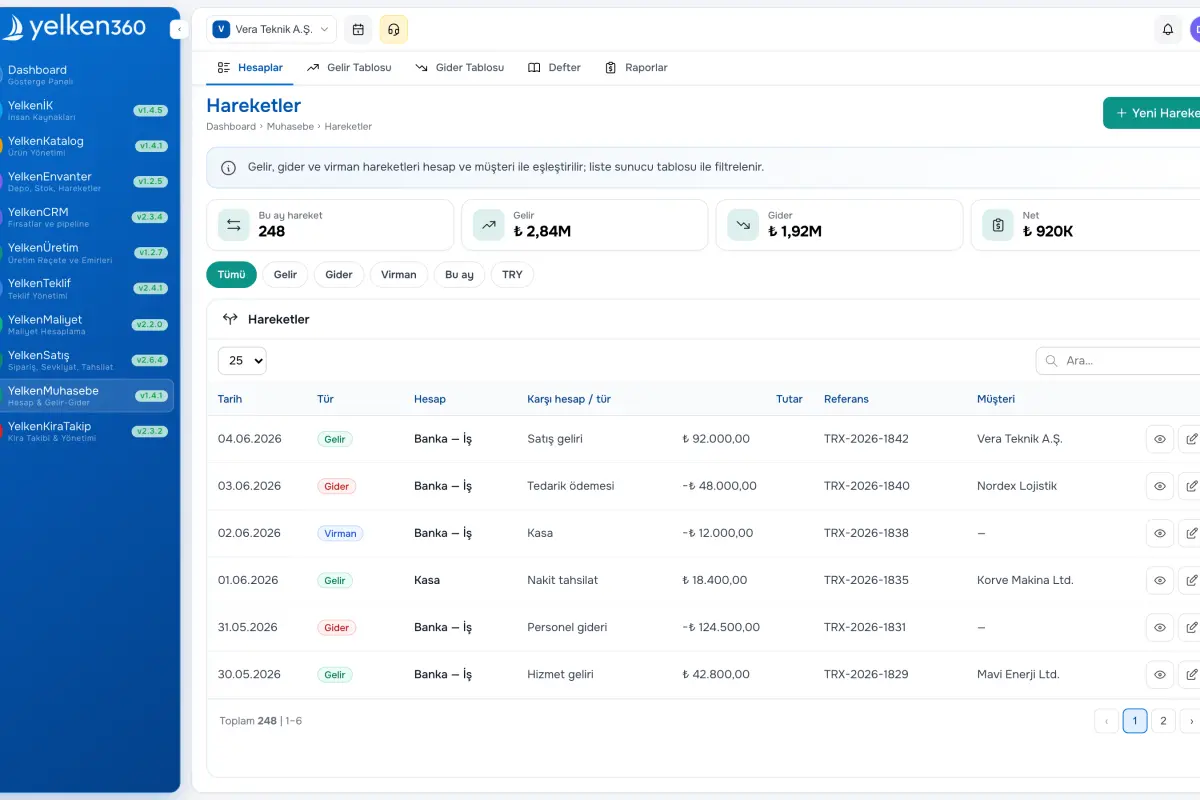
Yelken Accounting – List View
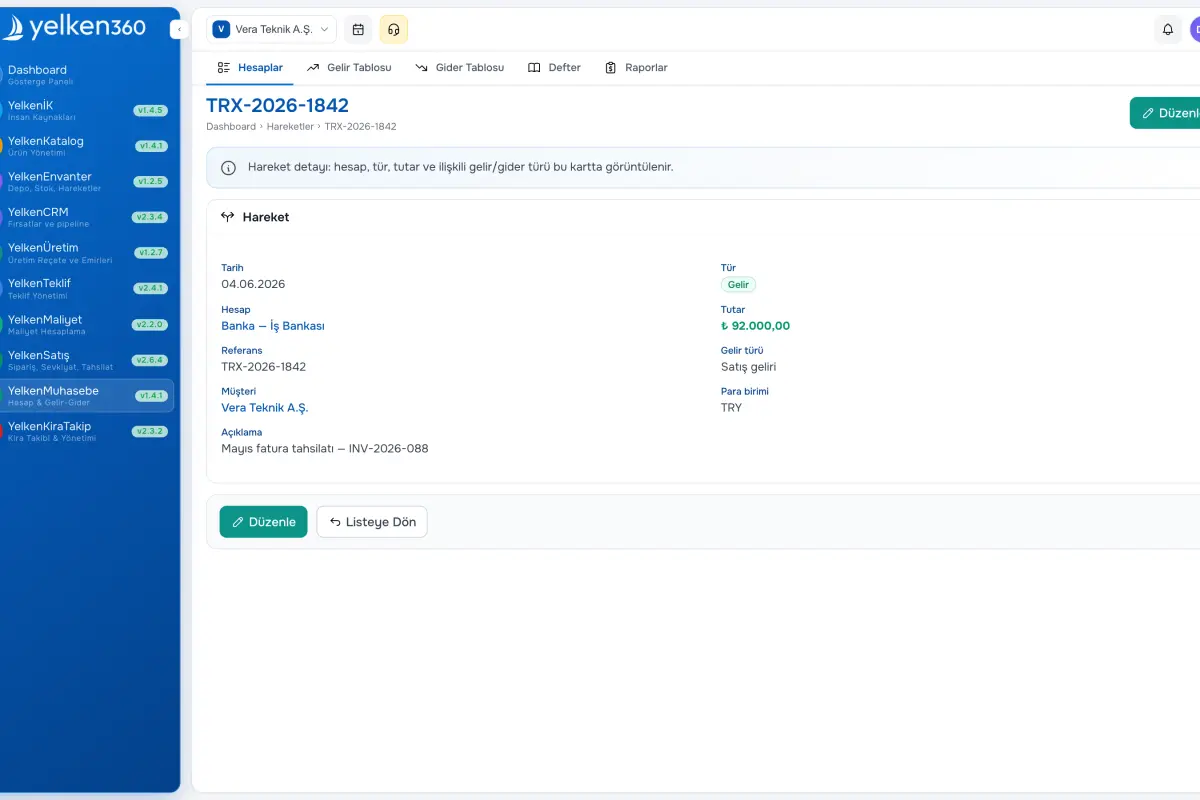
Yelken Accounting – Detail View
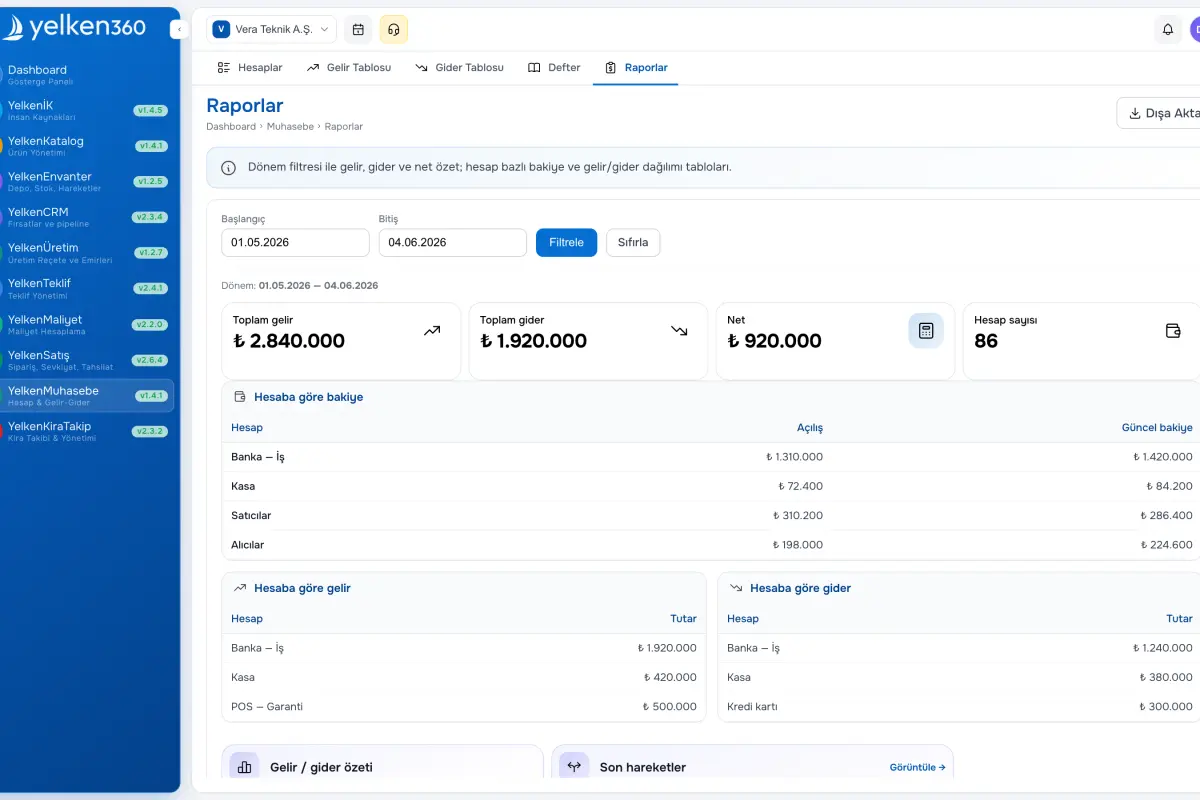
Yelken Accounting – Dashboard View
Features

Key features

Core capabilities, tracking improvements and operational benefits this solution brings to your business.

01

Cash and bank accounts

Create ledgers with codes, currency, and opening balances; mark a default for faster entry.

02

Income and expense types

Workspace-specific categories for reporting; seed Turkey-focused samples or build your own lists.

03

Payment methods

Maintain methods such as cash, wire, card, or check for channel analysis on movements.

04

Customer account

See receivable-style balances per customer with movement history and period summaries.

05

Reports and KPIs

Track income, expense, net and monthly profit with PDF export for leadership reviews.

06

Currency and format

All amounts follow workspace currency, decimals, and thousands separators for consistent UI and exports.

7 Details

Manage cash and bank ledgers with income/expense categories and payment methods. Customer account summaries and KPI-style reports keep finance visible.

The Accounting module centralizes workspace cash and bank accounts. Start with opening balances, then record income and expenses to monitor live balances.

Define income and expense types plus payment methods for meaningful reporting breakdowns. Use customer accounts to see balances by counterparty. KPIs such as total income, total expense, net profit, and monthly profit appear on dashboards and dedicated report pages.

Amounts respect workspace currency and formatting. Integrations with invoicing or other modules can post billable events into accounting movements automatically.

See the module page for full product details.

What is included in Accounting?

Accounting brings cash/bank ledgers, movements, and customer summaries under one roof. The sections below highlight structure and tools.

Accounts

Manage cash and bank ledgers.
Account types
Cash or bank with name, optional code, currency, and opening balance.
Default account
Flag a primary ledger to prefill new movements.
Active flags
Deactivate retired accounts without deleting history.

Income and expense movements

Record flows with account, category, and payment method.
Income entry
Choose account, date, amount, optional income type, payment method, or linked customer; filter the register as needed.
Expense entry
Capture spend with account, date, amount, expense type, and payment method; balances decrease automatically.
Reference and memo
Attach references and descriptions for audit-friendly reporting.
Account balance
Running balances derive from all movements and display on account detail.

Internal transfers

Move funds between cash and bank accounts.
Transfer entry
Specify source, destination, date, and amount to create paired legs automatically.
Balance updates
Both ledgers refresh immediately; transfers appear distinctly in registers.

Customer account

Customer-centric balance and history.
Customer balance
Movements that reference a customer feed the receivable summary.
Account detail
Pick a customer to review chronological movements and running balance.

Settings and defaults

Categories and payment rails.
Income types
Workspace categories (sales, interest, other, etc.) with optional Turkish sample seed.
Expense types
Categories such as payroll, rent, or taxes—seed defaults when tables are empty.
Payment methods
Cash, wire, EFT, card, check, and more for consistent movement capture.

Reports

KPIs and PDF export.
Summary KPIs
Income, expense, net profit, and monthly profit on dashboards and report routes.
PDF export
Download formatted statements with workspace currency formatting.
Per-account balances
Period activity and latest balances per ledger with recent movement lists.
KPI snapshot
Leadership-friendly totals available alongside workspace widgets.
By using this website, you agree to our cookie policy.