
Powered by Yelken CRM
CRM Software
Track opportunities on a sales pipeline; manage calls, meetings, and tasks in one place.
- Opportunity management
- Pipeline stages
- Activities: call, meeting, task, note
- Timeline and opportunity detail
Key features
Core capabilities, tracking improvements and operational benefits this solution brings to your business.
Opportunity management
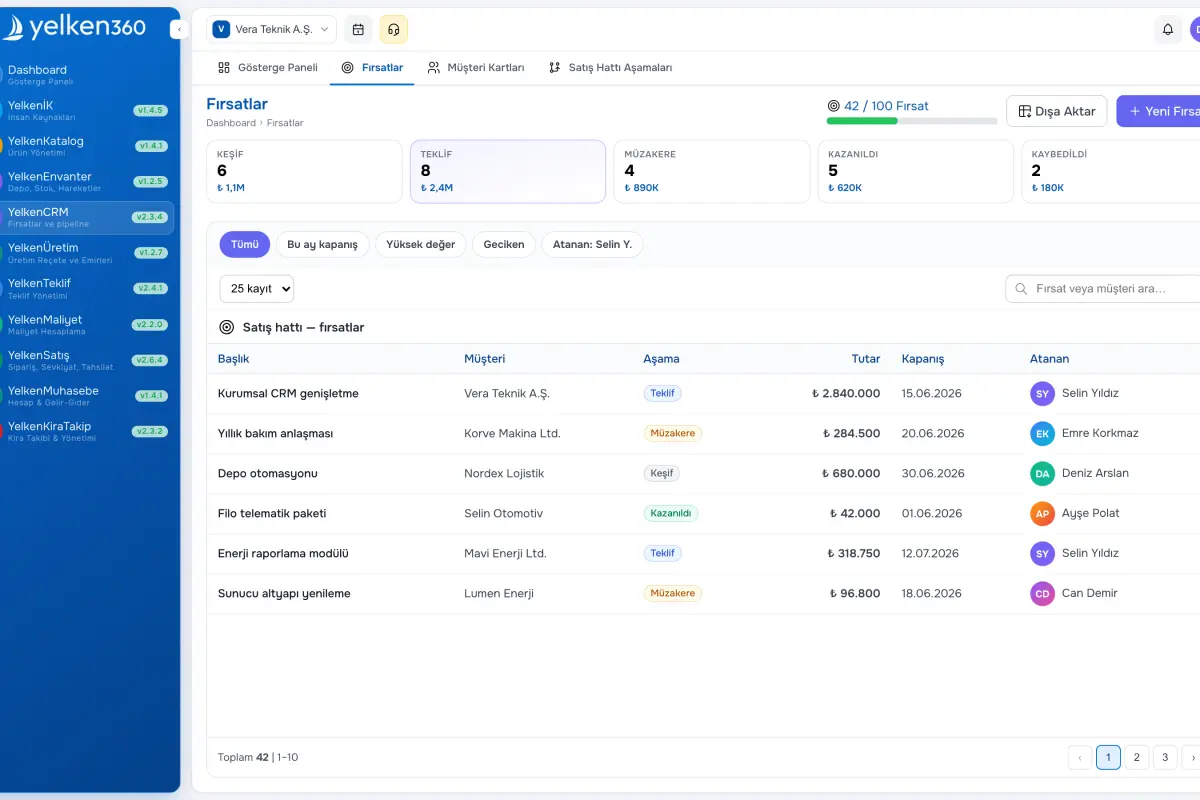
Select a customer, set title and amount, expected close, and owner. Filter the list by stage, amount, or date to see exactly where each deal sits.
Pipeline stages
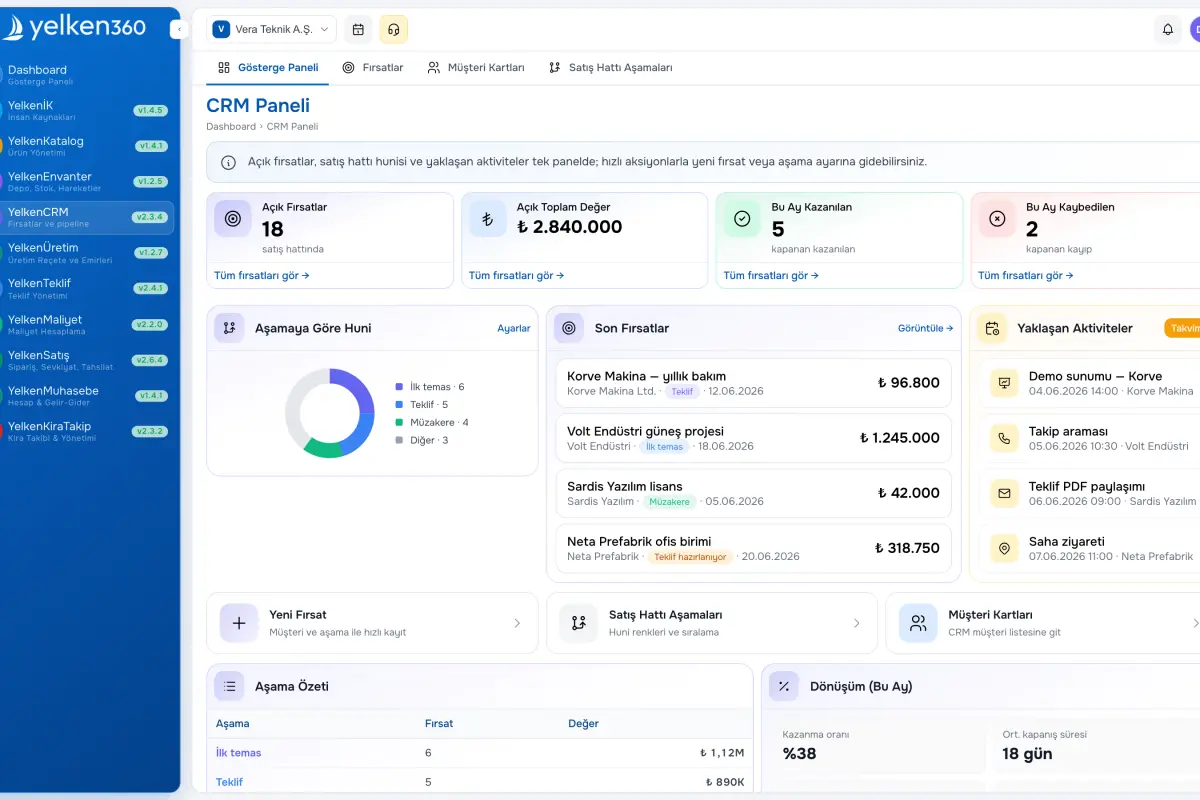
Model your sales process with custom stages. Bootstrap from a template or build your own, order them, assign colors, and flag won/lost stages for reporting.
Activities: call, meeting, task, note
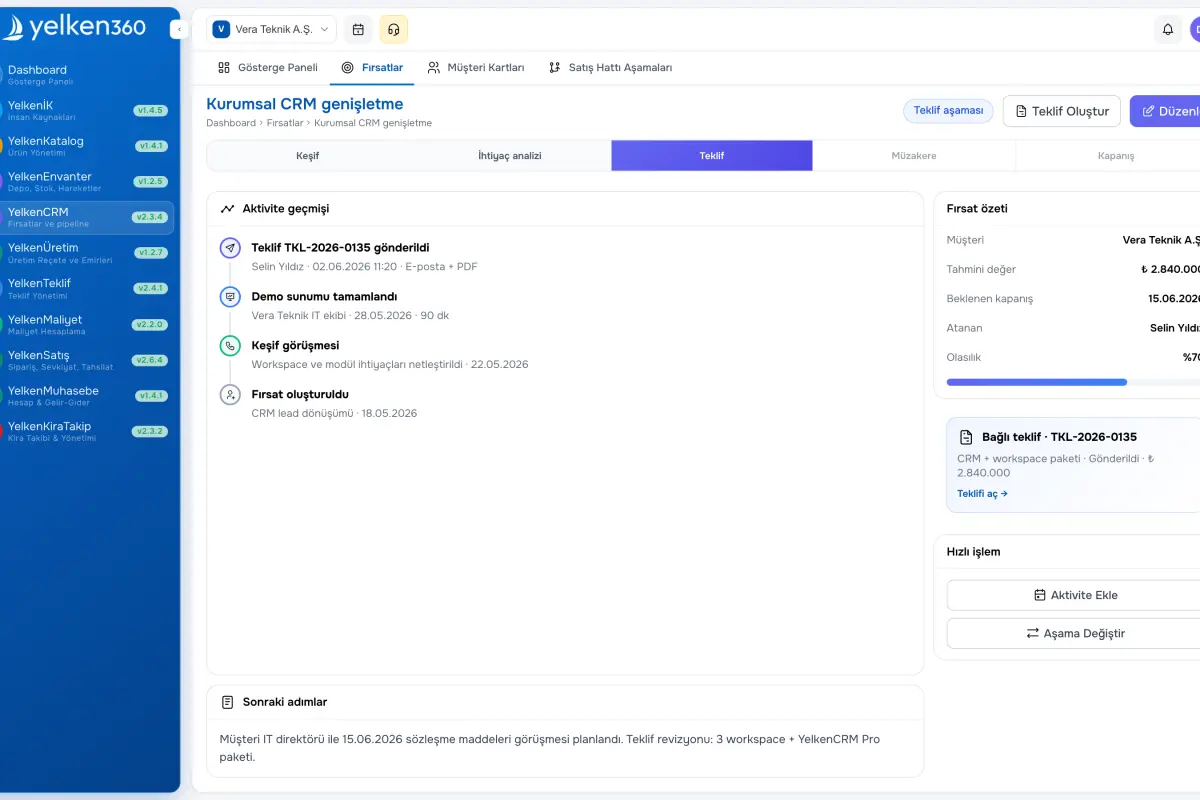
Record every interaction with subject and optional due date. Activities appear in chronological order on the opportunity; complete tasks when done.
Timeline and opportunity detail
See customer, stage, amount, notes, and the full activity history on one screen so gaps in follow-up are obvious.
Customer integration
Opportunities attach to your existing customer list. Customers with open opportunities are protected from deletion so history is preserved.
Proposal module link
From opportunity detail, open “Create proposal” to carry customer context forward when the Proposal module is enabled.
Roles and permissions
Separate abilities for viewing, creating, editing, or deleting opportunities and activities, plus pipeline settings—grant only what each role needs.
Screenshots
See the interface up close.
-
Yelken CRM – List View -
Yelken CRM – Detail View -
Yelken CRM – Dashboard View
8 Details
YelkenCRM brings your sales motion into a single workspace. Customers already live on the platform; CRM adds opportunity management, a sales pipeline, and activity tracking. When you create an opportunity you pick an existing customer, then track title, amount, expected close, assignee, and stage movement.
Pipeline stages are unique to your company. Start from a template or define your own (New, Contacted, Qualified, Proposal, Negotiation, Won, Lost, etc.) with order and color. Mark stages as won or lost for clean reporting.
Use activities to log every touch: call, meeting, task, or note. The opportunity detail shows a chronological timeline; mark tasks complete. From the opportunity screen, create a proposal in one click to hand off to the Proposal module without retyping data.
Designed for retail, B2B, consulting, and any team that sells. Customer records stay central; customers with open opportunities cannot be deleted, protecting history.
What is inside the CRM module?
YelkenCRM helps you advance opportunities through stages and keep every customer touchpoint in one place. The sections below summarize lifecycle, pipeline design, and activities.