
Powered by Yelken HR
HR Software
Employees, org structure, documents, rewards/warnings/complaints, leave, attendance, and transfers.
- Employee management
- Organization structure
- Document types and employee files
- Rewards, warnings, and complaints
Key features
Core capabilities, tracking improvements and operational benefits this solution brings to your business.
Employee management
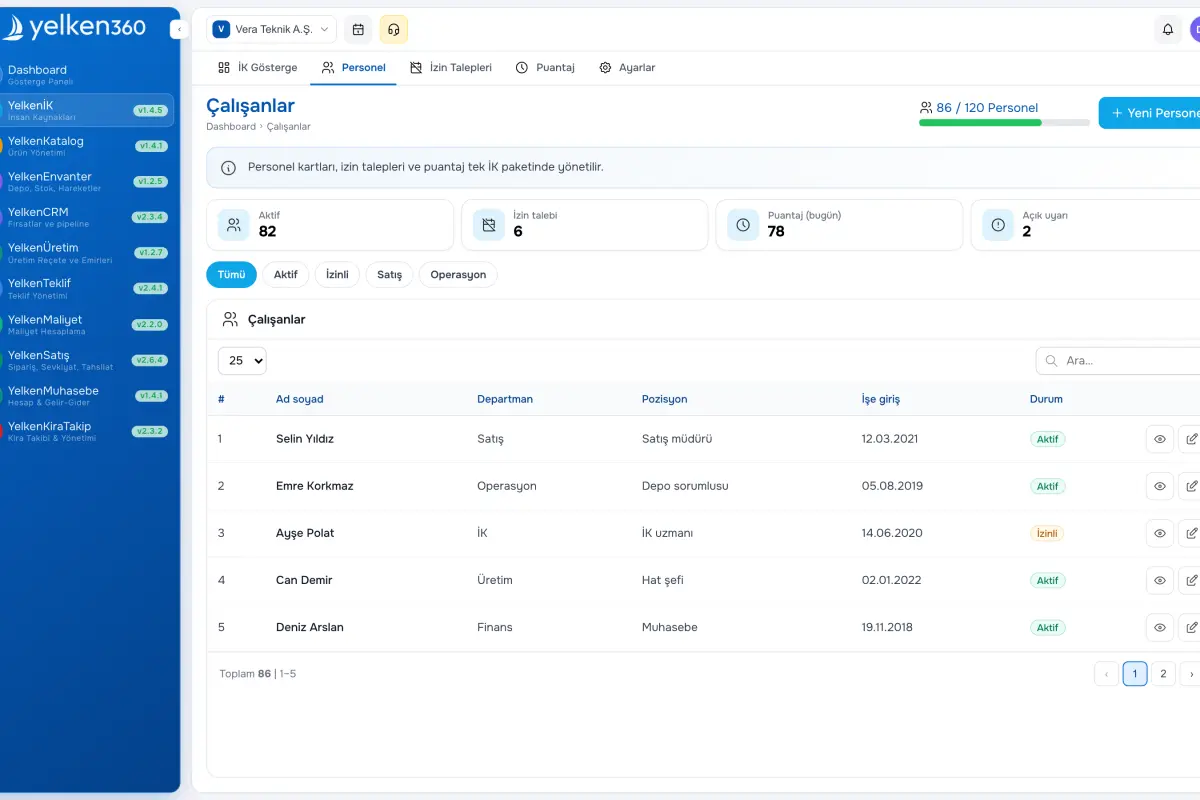
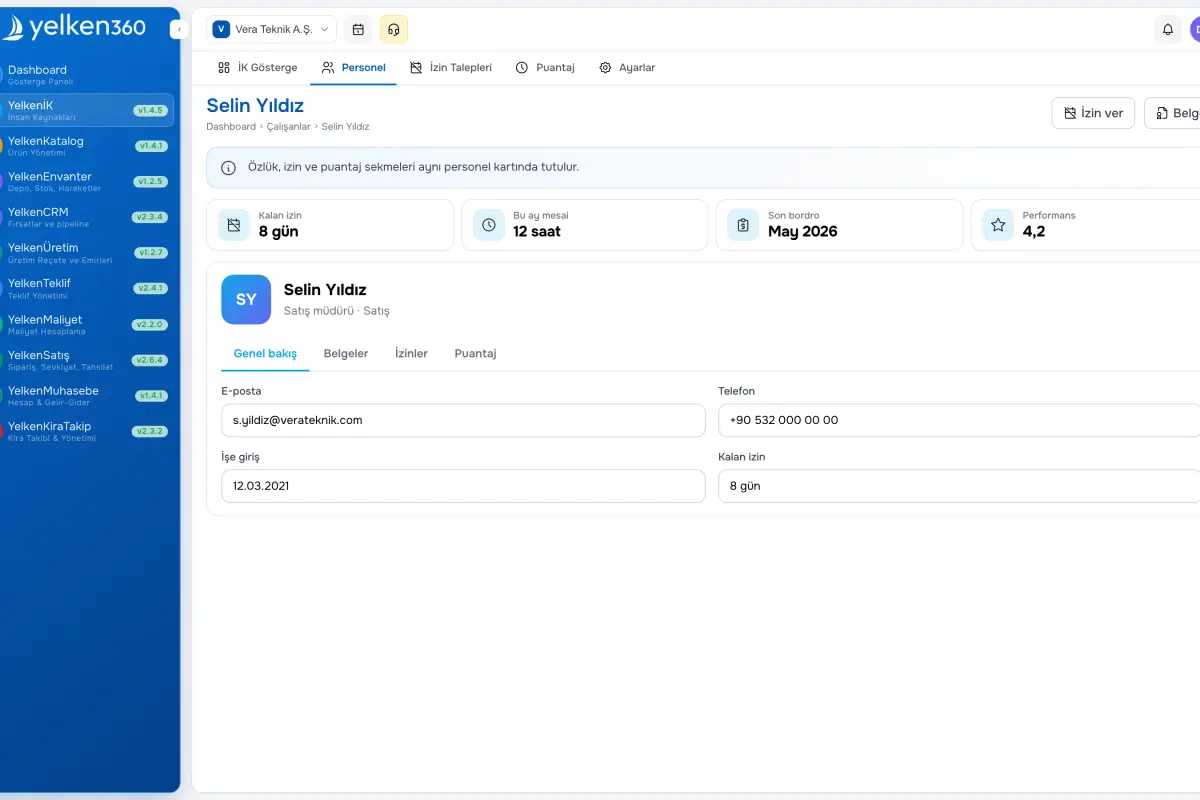
Core HR fields: name, employee number, contact, branch/department/position, hire and exit dates, avatar, optional user mapping (link existing user or invite by email). Detail pages show timelines of rewards, warnings, complaints, transfers, documents, and leave.
Organization structure
Branches, hierarchical departments, and positions managed via settings modals. Departments nest parent/child; positions belong to departments. Lists and reports filter through this tree.
Document types and employee files
Configure document types (ID, diploma, contract, social security, photo, license, etc.) and upload media per employee with list and delete actions. Seed defaults in one click.
Rewards, warnings, and complaints
Maintain type catalogs in settings, then log incidents from employee profiles or dedicated list pages. Events appear on the employee timeline; defaults can be seeded.
Leave types and requests
Annual, sick, unpaid, marriage, bereavement, etc., with yearly quotas and paid/unpaid rules. Employees submit requests; managers approve or reject. HR can grant leave without a request when needed.
Attendance
Check-in/out records with break handling and net hours. Manual entry or integrations supported; daily and weekly summaries available on detail pages.
Employee transfers
Record branch, department, or position changes with effective dates; assignments update automatically and history appears on the profile.
Settings and permissions
Central settings for branches, departments, positions, leave and document types, and HR case categories with default builders. Workspace isolation and granular module permissions.
Screenshots
See the interface up close.
-
Yelken HR – List View -
Yelken HR – Detail View -
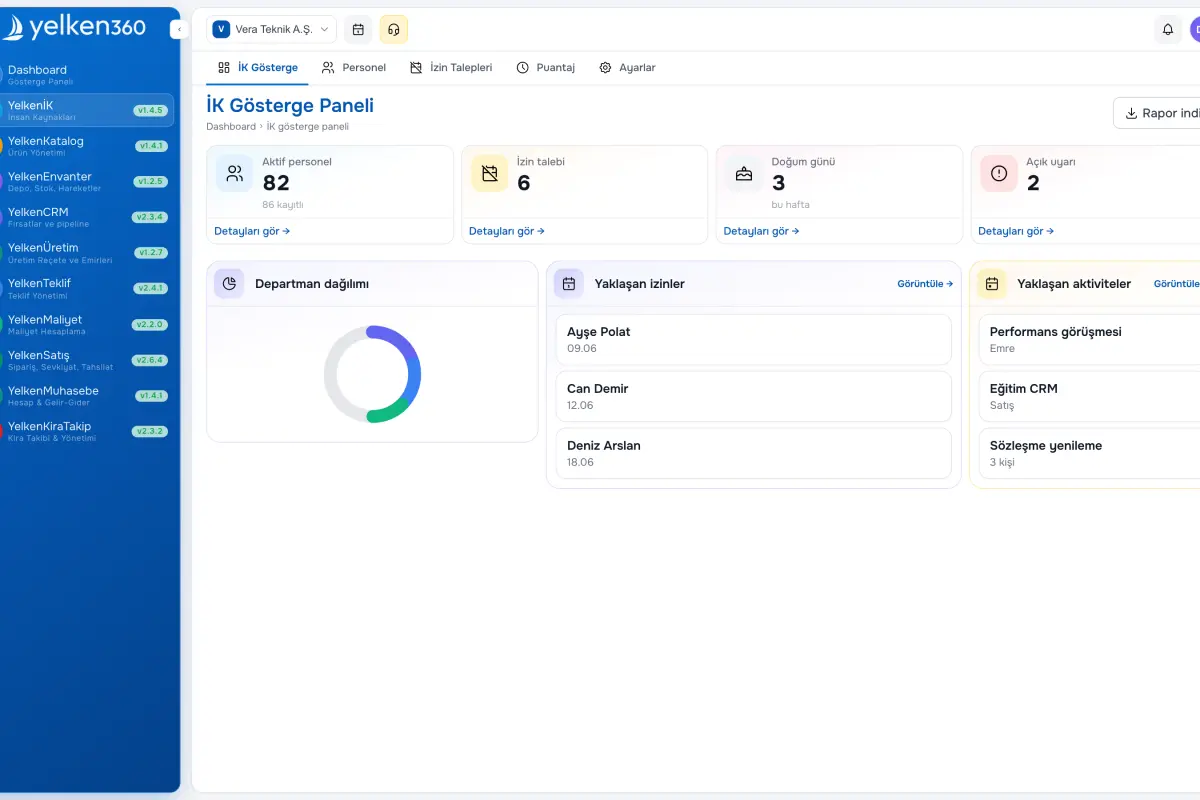
Yelken HR – Dashboard View
9 Details
YelkenHR centralizes people data and org design. Manage employees across branches, departments, and positions; support profile photos and optional links to system users.
Define document types (ID, diploma, contract, social security, etc.) and attach media per employee. Configure reward, warning, and complaint types to track performance and discipline with dedicated lists. Record transfers when branches, departments, or positions change—employee assignments update automatically.
Create leave types (annual, sick, unpaid, etc.) with quotas and approval flows; employees submit requests while HR can grant leave directly. Attendance captures check-in/out and working time. Everything stays workspace-scoped with role-based permissions.
What does YelkenHR include?
YelkenHR unifies employee data, org hierarchy, documents, HR cases, leave, attendance, and transfers. The outline below walks through each area.